igloohome
- 4.2
- Rating
- 100.00K
- Installs
- Free
- Price

 Analysis by App-foxy
Managing a door without handing out a physical key sounds simple, but the experience depends on how much control you really get once access has been shared. I spent time looking at igloohome as a smart access management app from Igloohome, and its most useful idea is not merely opening a lock from a phone. It is the ability to organize access around people, timing, and changing situations instead of relying on one permanent key.
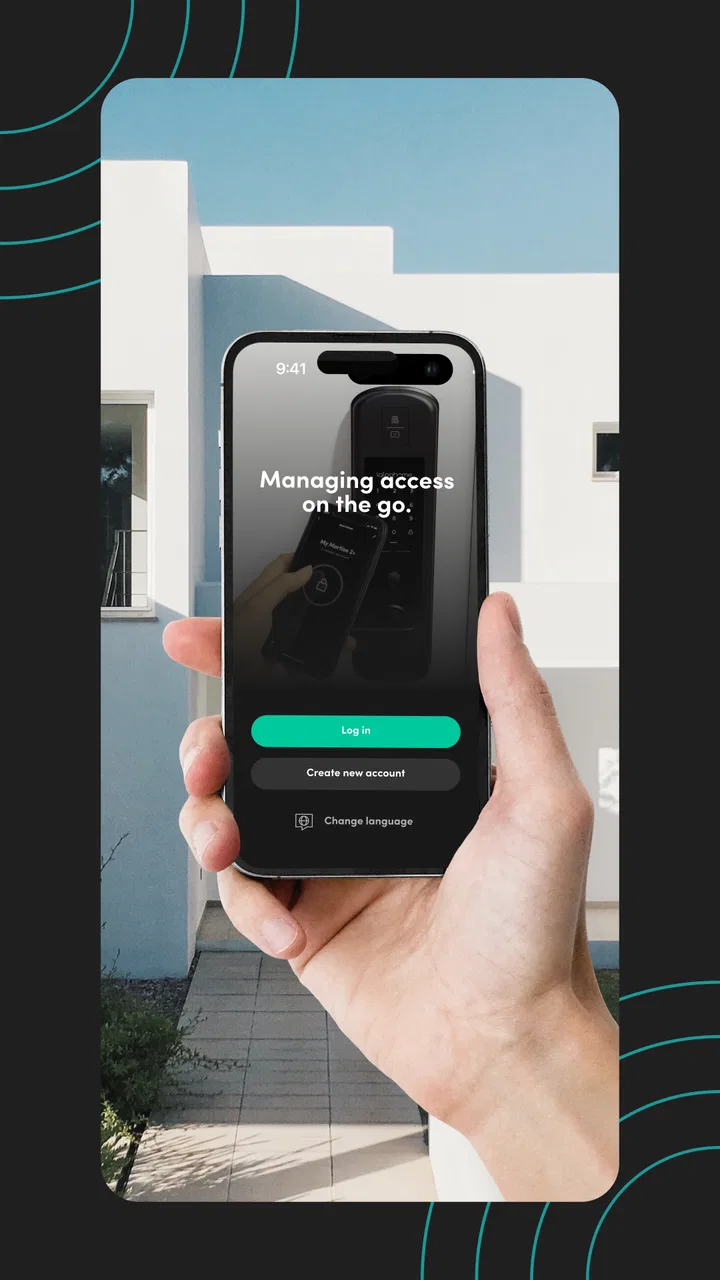
That makes it especially interesting for homes where several people need entry at different times: a family member arriving after work, a cleaner visiting during the day, a guest checking in, or someone collecting an item while the owner is away. The app is free, aimed at everyone, and belongs to the House & Home category. Its role is focused: it works with compatible Igloohome smart locks and helps manage smart access rather than trying to become a general home-control dashboard.
My overall impression is positive, with an important qualification. This is most valuable when access changes regularly. If you only need one person to open one door and already feel comfortable with ordinary keys, the app may add more setup than convenience. If you manage a property, share a home, or often need to let people in remotely, its approach makes much more sense.
You May Also Like

 Blood Strike: 2.5 Anniversary
Blood Strike’s Loadouts Turn Every Drop Into a Tactical Gamble
A close look at Blood Strike’s custom loadouts: how fast access to signature weapons reshapes its battle royale rhythm, rewards preparation, and narrows the gap between fights.

 Pandora - Music & Podcasts
Pandora’s Music Is Easy to Start, but Harder to Recover
Pandora’s strength is its low-effort path from a seed to a station. Its weak spot is how much confidence it asks you to place in connection, setup, and quiet recovery.

 8 Ball Pool
 Is Built on Rivalries, Rematches, and Routine
A close look at the rivalries, rematches, shared routines, and unanswered safety questions that turn a quick pool match into a persistent mobile community.

 Samsung Music
’s Quiet Strength Is Playing What You Already Own
Its reach comes less from spectacle than from dependable access to a personal library. That simplicity is both the app’s strongest retention engine and its ceiling.

 AccuWeather: Weather Radar
AccuWeather Review: A Quick, Clear Forecast for Everyday Decisions
For everyday plans, the best forecast is the one you can understand quickly. AccuWeather makes rain timing, radar, and local conditions easy to act on, with a few trade-offs.

 Hill Climb Racing
Why Hill Climb Racing Still Turns Crashes Into One More Run
A tiny car, a bumpy hill and one more upgrade: Hill Climb Racing keeps resurfacing because its simple chaos makes every near-miss feel personal.
More From Our News Desk



Access is the real feature, not just phone-based unlocking
The capability that stands out is controlled access management. A traditional key answers one question: does the person have the key? The app encourages a more useful question: who should be able to enter, and under what circumstances? That difference matters whenever access is temporary, shared, or difficult to coordinate in person.
In practical terms, I would think of the app as a place to prepare and manage entry for a compatible lock. Instead of hiding a spare key or arranging a handoff, I can use the app’s access workflow to give another person a way in. The benefit is not that a smartphone magically replaces every part of a lock; the benefit is that access becomes easier to organize when the owner and visitor are not together.
This is a particularly good match for short visits. A guest may need to enter a property once, a service provider may need access during a scheduled visit, or a relative may need to check on a home while the owner is traveling. In each case, the important improvement is reducing the number of physical handoffs. I do not have to leave a key under a plant, drive across town, or ask another person to wait at the door.
There is also a useful mental shift here: the app is not only an unlocking tool for the owner. It is an access-planning tool. That distinction helps explain why someone who rarely shares entry may find it unnecessary, while someone who regularly coordinates other people can find it central to their routine.
Why temporary access changes the everyday experience
Temporary access is valuable because many real-world visits are temporary too. A permanent key is often too broad: it may give someone entry long after the original reason has disappeared. With a smart access system, the owner can approach entry as something assigned for a particular need rather than something copied indefinitely.
I would still treat every shared permission carefully. Before sending access to anyone, I would check that I have selected the right lock and that the recipient understands when and how it should be used. The app can make sharing more convenient, but convenience can also make it easier to grant access without thinking through the consequences.
That is one of the less obvious lessons of using a system like this. The technology does not remove responsibility; it makes the owner responsible in a more organized way. A physical key can be forgotten in a drawer, while digital access can be created quickly and repeatedly. Good habits—reviewing who has access, removing permissions that are no longer needed, and keeping the lock and phone ready—matter just as much as the app itself.
How I would use it in practice
The first step is pairing the app with a compatible Igloohome smart lock and making sure the phone is ready for the management tasks involved. I would not wait until a guest is standing outside to discover that the lock needs attention, the phone needs permission, or the access arrangement was not prepared correctly. Smart entry is most convenient when the setup happens before the urgent moment.
Once the lock is available in the app, the useful workflow is planning access around a real person and a real reason. For example, if I am away and a trusted visitor needs to enter, I would prepare the access in advance, send the necessary instructions, and make sure the visitor knows which door is involved. This is more reliable than sending a vague message such as “the key is somewhere nearby.”
I would also keep the app’s role separate from the visitor’s expectations. The owner needs to manage access, while the visitor needs a clear, practical way to use it. A technically correct permission is not enough if the person does not know which entrance to use or when entry is appropriate. The best experience comes from combining the app with a short human explanation.
For repeated visitors, I would create a simple routine rather than treating every visit as an emergency. A cleaner, dog walker, or family member may have a recurring reason to enter, but their need can still change. I would review the arrangement whenever the relationship, schedule, or property situation changes. That review is an important advantage over a copied key, which tends to remain in circulation unnoticed.
A realistic day away from home
Imagine that I am out of town when a trusted relative needs to check a leaking sink. With a conventional lock, I might have to ask a neighbor to open the door, arrange a key pickup, or postpone the visit. With an Igloohome smart access setup, I can prepare entry for the person and communicate the practical details before they arrive.
The real improvement is not just speed. It is the reduction of coordination. The relative does not need to collect a physical key from another location, and I do not need to reveal where a spare is hidden. After the visit, I can treat the access as something to review rather than assuming that the person should retain an ongoing key.
This scenario also shows where I would be cautious. If the visit is urgent, I would not assume that any app-based process will solve every problem instantly. The phone, lock, visitor, and instructions all need to line up. I would prepare access early and keep a backup plan for situations where the visitor cannot use the intended method.
What the app feels like compared with a normal key
A normal key is wonderfully direct. It does not need an account workflow, a charged phone, or an app interface. For a single household with stable routines, that simplicity can be hard to beat. A key also feels familiar to nearly everyone, so there is little explanation required.
The app becomes stronger when the problem is not opening the door but coordinating access. It gives the owner a more deliberate way to handle guests and service visits. Compared with a keypad-only arrangement, app-based management can feel more flexible because the owner is not limited to physically telling every visitor a shared code. Compared with a hidden spare key, it avoids leaving an object in a predictable location.
The trade-off is that the digital method introduces more points of failure. A visitor may be uncomfortable with the process, a phone may not be available, or the owner may not have prepared access properly. I would choose the app for changing access patterns, not because it is automatically better than a key in every household.
Where the experience needs care
The biggest limitation is dependence on a compatible smart lock. The app is not a universal way to control any door, and its usefulness begins only when the physical hardware supports the Igloohome system. Anyone considering it should first think about the lock itself, installation, and whether the household is comfortable with a connected access routine.
There is also a learning curve for people who are used to keys. The owner has to understand how access is prepared and shared, while visitors may need clear instructions. That is manageable, but it is still a change in behavior. I would not recommend introducing the system immediately before an important arrival unless everyone involved has already practiced the process.
Phone dependence is another practical concern. Even when the lock is the central device, the app is part of the management experience. A dead phone, a forgotten device, or an unprepared visitor can turn a convenient arrangement into a frustrating one. I would keep the phone charged before relying on the app for a time-sensitive visit and would make sure trusted household members understand the access plan.
Security also requires judgment. Digital access can be easier to share than a key, which is helpful, but it can also encourage casual sharing. I would avoid sending access details through a busy group conversation, and I would be selective about who receives entry permission. The app helps structure access; it does not decide whether a person deserves it.
Small habits that make the system more dependable
My first tip is to prepare access before the visitor needs it. This gives me time to confirm the correct door, explain the process, and notice any setup issue while there is still time to fix it. Last-minute access is where smart-home systems tend to feel least smart.
My second tip is to use names and purposes that make sense later. If several people have been given entry, a clear label such as “cleaning visit” or “family check” is more useful than a vague label. This is a simple organizational habit, but it makes future access review much easier.
My third tip is to treat access review as part of moving out, changing service providers, or ending a short-term arrangement. A physical key often gets forgotten after a relationship changes. Digital access can be easier to revisit if I make that review part of the closing routine.
My fourth tip is to test the visitor experience with someone I trust. I would ask them to follow the instructions without extra help and note where they hesitate. That test reveals problems that are invisible from the owner’s side of the app. A system can be logically clear to the person who configured it and confusing to the person arriving at the door.
These habits are not flashy features, but they are where the practical value appears. The app works best when access is treated as a managed process rather than a one-tap trick.
Who benefits most from Igloohome
I think the strongest audience is people who share access often or manage a property from a distance. Hosts, landlords, busy families, and homeowners who regularly coordinate maintenance can gain more from controlled entry than someone who lives alone and never lends out a key. The more frequently access changes, the more useful the app’s central idea becomes.
It can also suit households that dislike hiding spare keys. A hidden key solves the immediate problem of entry, but it creates a physical security concern and can be difficult to track. Smart access offers a more organized alternative, provided the owner is willing to manage the digital side responsibly.
People who should skip it are those looking for the absolute simplest door routine, those unwilling to install compatible hardware, and anyone whose visitors would struggle with phone-based instructions. If your main need is a dependable key for one trusted person, a conventional lock may be cheaper in effort and easier to explain. I would also hesitate to rely on this approach for users who are uncomfortable troubleshooting phones or smart-home equipment.
The app has been available since August 21, 2015, and the current version is 3.4.0, with support beginning at Android 7.0. That broad Android compatibility is useful for people using older devices, although the quality of the experience will still depend on the phone, the lock, and the user’s comfort with the workflow. The app has passed one hundred thousand installs, with a 4.2 average from around 670 ratings and about 67 written reviews, which suggests a real user base without making the app feel universally adopted.
Because it is free, the main decision is not an app purchase. The bigger question is whether the complete smart-lock setup fits the home and the people who will use it. I would judge it as part of that whole system, not as a standalone download.
My recommendation after weighing convenience against control
I would recommend Igloohome to a friend who often needs to let people into a property without being there. Its strength is focused and practical: it turns access from a permanent object into something that can be planned around a person and a situation. That can remove awkward key handoffs and make short visits easier to coordinate.
I would not recommend it simply because smart locks sound modern. If the household has stable routines, few visitors, and no interest in managing digital permissions, the ordinary key remains a sensible choice. The app asks for a little more preparation and responsibility in exchange for more control.
For the right user, that exchange is worthwhile. My advice would be to start with one low-pressure use case, such as a trusted family visit, learn the process, and only then depend on it for more important access. Used that way, the app feels less like a gadget and more like a practical system for keeping entry organized.
My bottom line: Igloohome is best when the problem is changing access, not merely opening a door. It is a free House & Home app from Igloohome with a clear purpose, useful flexibility, and real trade-offs around hardware, preparation, and visitor confidence. If those trade-offs match your household, it can be a meaningful improvement over spare keys and improvised handoffs.
FAQs for igloohome
01What is igloohome, and how does it work?
igloohome is a smart access app that lets you manage compatible smart locks, padlocks, and keyboxes from your Android or iOS device. After pairing a supported device, you can lock or unlock it, create PIN codes or Bluetooth keys, check access activity, and share entry permissions with guests. Its main advantage is that many access codes can work without the lock needing continuous Wi-Fi or mobile data connectivity.
02Do I need an igloohome smart lock or keybox to use the app?
Yes. The igloohome app is designed to control and manage compatible igloohome hardware, so installing the app alone does not provide useful access features. Before downloading, check that your lock, padlock, or keybox model is supported and that your phone meets the app’s requirements. Some features, such as remote management, may also depend on the specific product and available connectivity.
03Can I share access with family members, guests, or tenants?
Yes, sharing access is one of igloohome’s main features. Depending on the supported device, you can create permanent, recurring, or time-limited PIN codes and Bluetooth keys for other people. This is useful for homes, rental properties, offices, and service visits because you do not need to hand over a physical key. Always review permissions carefully and remove or expire access when it is no longer needed.
04Does igloohome work without an internet connection?
Many igloohome devices can operate offline using PIN codes or Bluetooth-based access, which is helpful in locations with weak or unavailable internet service. However, the app itself may need an internet connection for account setup, synchronization, firmware updates, remote actions, and viewing updated activity records. Offline behavior can vary by product, so you should confirm the capabilities of your exact lock or keybox before relying on it.
05Is igloohome secure, and what should I know before using it?
igloohome provides digital access controls intended to reduce the need for physical keys, but security also depends on how you use the system. Protect your account, phone, and access codes, avoid sharing PINs publicly, and keep the app and device firmware updated. You should also maintain backup entry arrangements, monitor activity where available, and remember that battery-powered hardware requires regular battery checks to avoid being locked out.
Pros
- Keyless entry makes sharing access easier for guests and service providers.
- Works with selected smart locks and padlocks without requiring Wi-Fi at the lock.
- Temporary PINs help limit access to specific dates and times.
- Activity logs provide useful visibility into access events.
- Clean interface makes managing multiple properties relatively simple.
Cons
- Compatible igloohome hardware can be expensive compared with standard locks.
- Some features depend on owning an igloohome lock or accessory.
- Bluetooth range may limit control when you are not near the lock.
- Battery replacement is still necessary to keep connected locks operational.
- Setup and pairing may take time for users unfamiliar with smart locks.

igloohome
Gallery